How to open it
In Claude Code ask «open the AIgentrica panel»: the model uses the open_panel tool and the page opens in the browser. At the first choice to make, if the page is not open, the server opens it on its own.
The page answers only on 127.0.0.1, on a random port, and opens only with the secret code the server puts in the address. To turn it off add --no-panel to the install command, or choose in the /mcp__aigentrica__configure form. With Node's least permissions it does not start, because it needs the local network and git.
Header and alerts
At the top are the project with its branch, the server version, the connection status with the time of the last update and the link to this site. The tabs count the choices waiting, the agents called, the findings and the agents to rate.
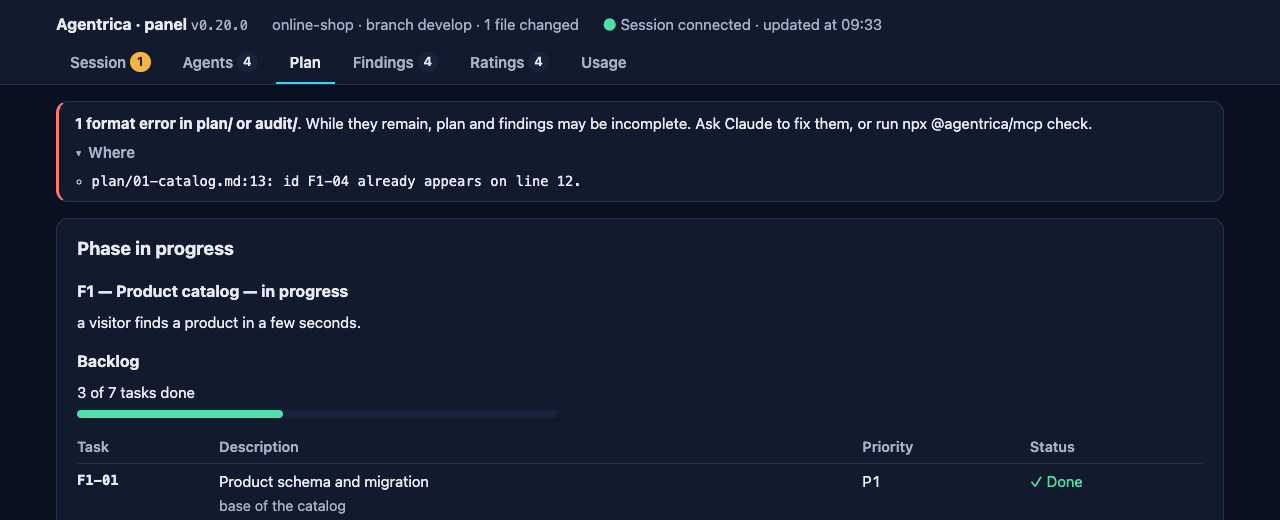
Below, the alerts are in a single area, the same in every view: new version, plan/ changed without an agent loaded, plan to create, format errors and contradictions. Each is a line with the count and what to do; «Where» opens the file:line points to copy. Errors and contradictions come from the same check as the check command.
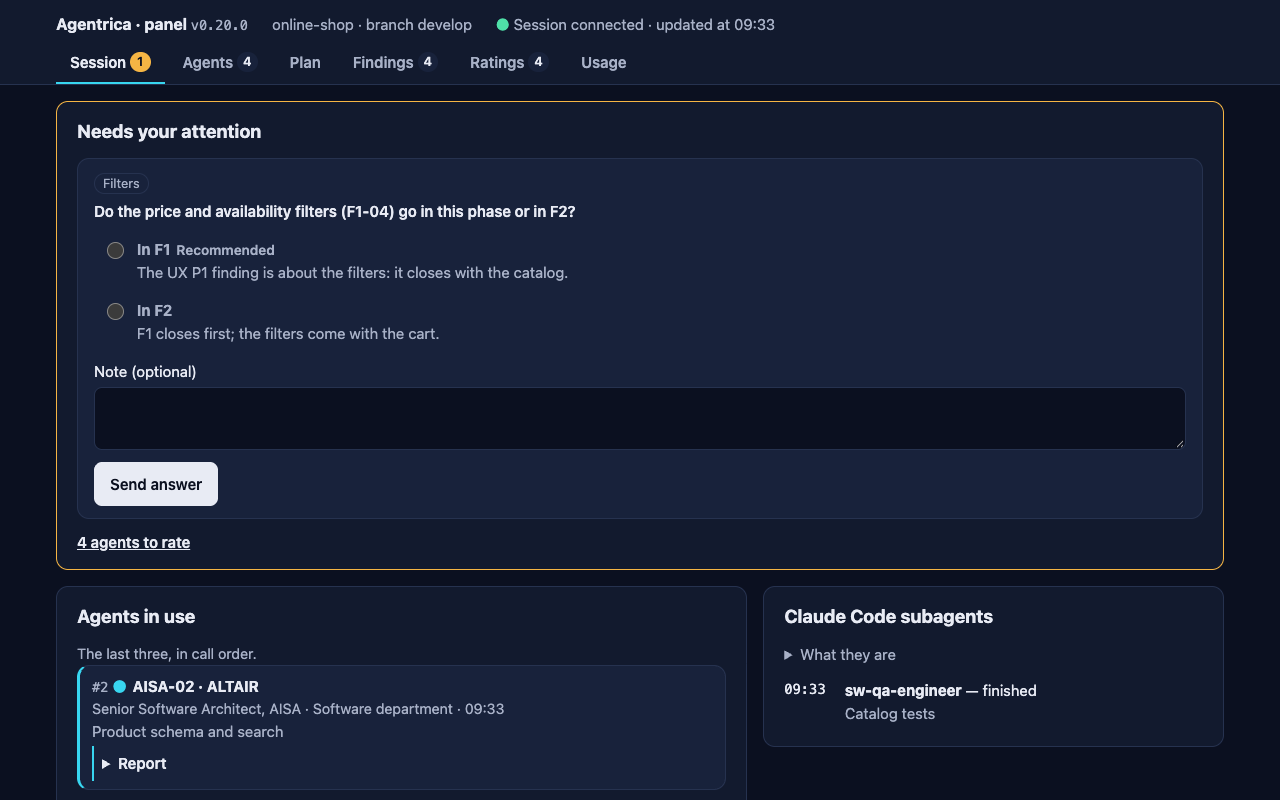
Session
At the top, only when there is something, Needs your attention: the choices an agent asks you with ask_user, with the options and their reasons, and the agents to rate. The answer, with an optional note, goes back to the agent. Below, the last three agents called and, apart, the Claude Code subagents started in the session, with type, description and status.
When a new agent gets to work or there is an agent to rate, the page says so with a notice at the bottom. With «Turn on notifications» it also says so with a system notification when the tab is not in view: it needs the browser's permission, and the browser shows the notification, without external services.
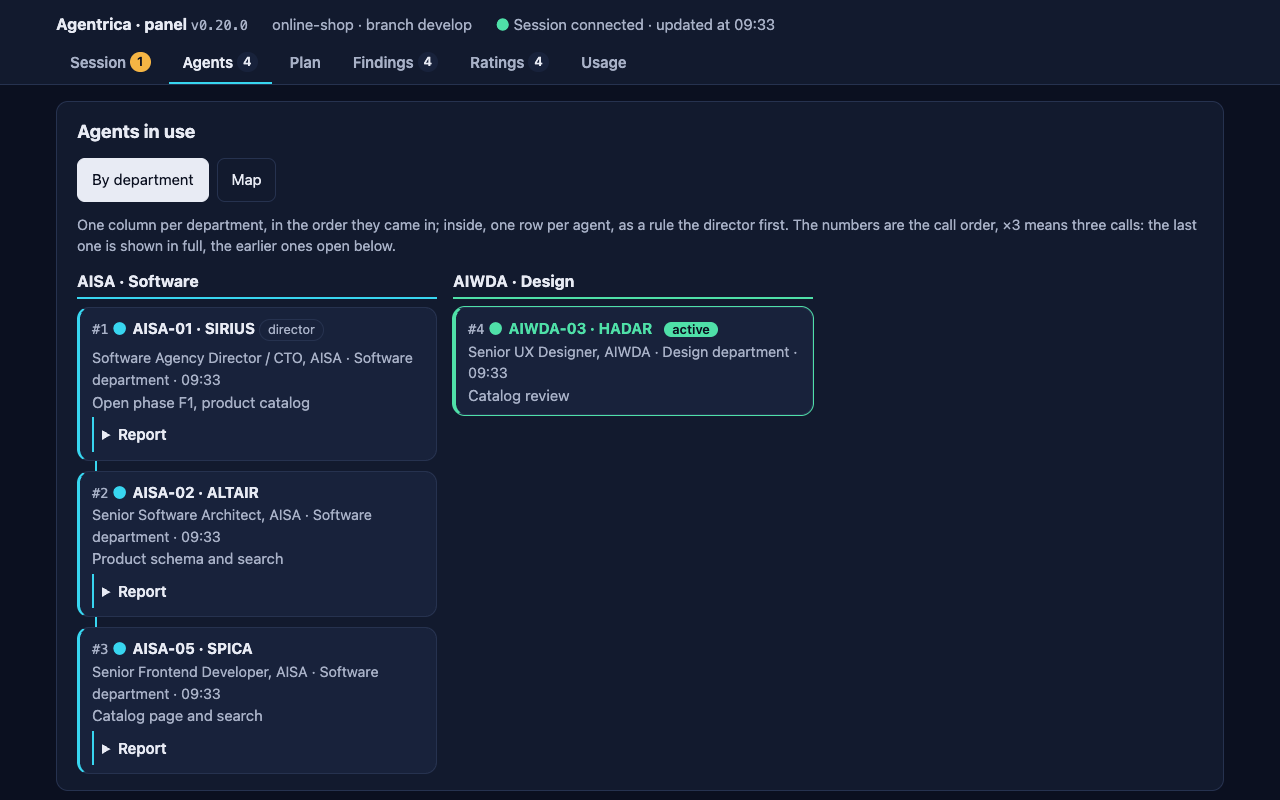
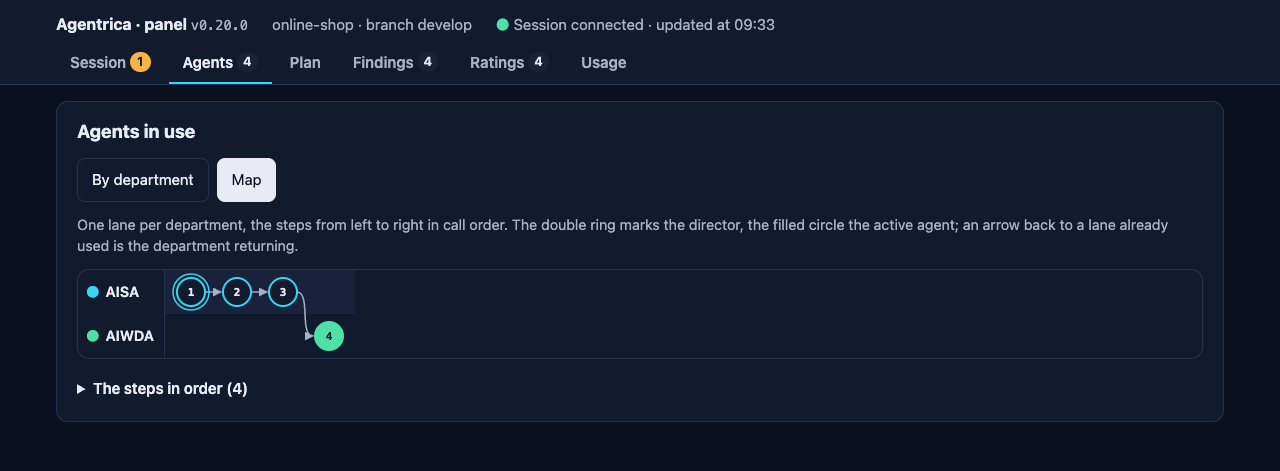
Agents
All the agents called in the session, in two ways. By department: one column per department in the order it came in, and one row per agent, as a rule the director first. An agent called more than once has a single row, with ×N and the call numbers: the last call shows the task and the report in full, what the agent sent with the report tool, and the earlier ones open below. So the page grows with the agents, not with the calls.
Map: one lane per department and a numbered circle per call, from left to right, with an arrow from one step to the next. A double ring marks the director, the filled circle the active agent; when a department comes back, after the software for the review, the arrow goes back to its lane. Below the map the same path is written as a list, which a screen reader reads too; on a phone the map scrolls sideways. The panel keeps the last 100 calls. How the agents take turns is in How the agents work.
Plan
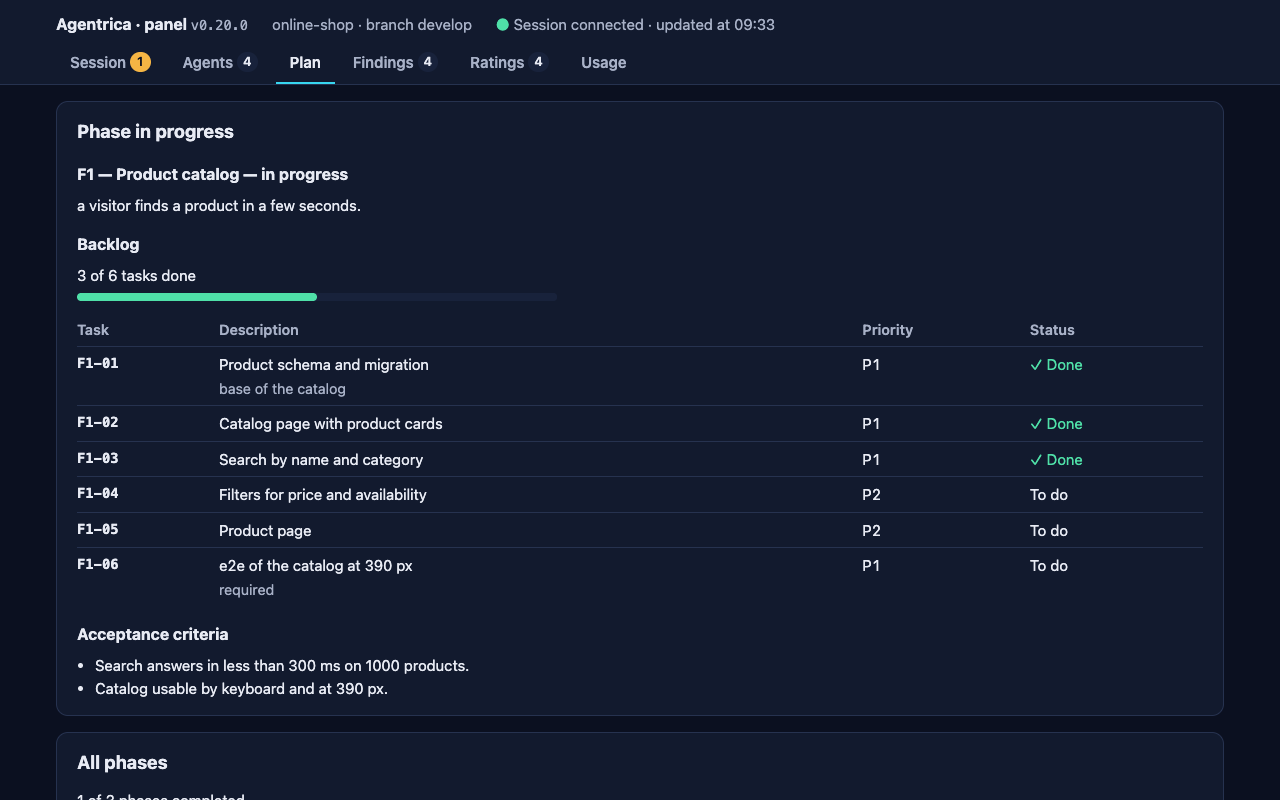
The phase in progress, read from plan/: the tasks done out of the total, the backlog with priority and outcome, the acceptance criteria. Below, the completed phases out of the total and, on request, the list of all phases. A task is done when the «Done» section of the phase file cites its id in bold.
Findings
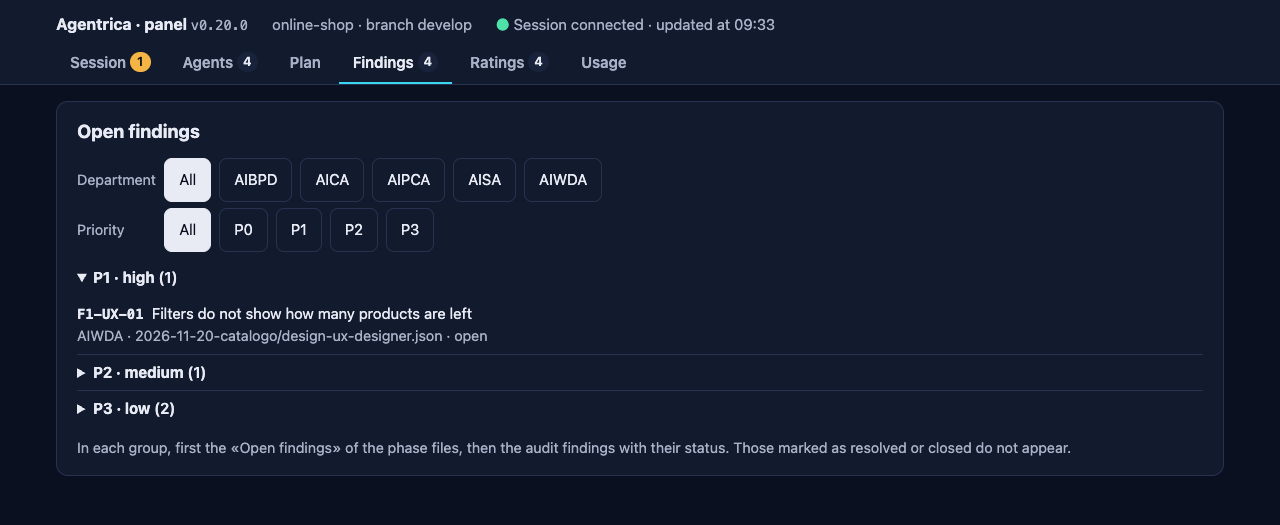
The open findings of the phase files and those of the audits in audit/, grouped by priority with the count, with a filter by department and one by priority. Resolved or closed ones do not appear.
Ratings
A form for each agent used and not yet rated: a score from 1 to 5, an optional comment and whether to publish it. The rating leaves only after the preview and your yes (legal notes). With --no-ratings the view is not there.
Usage
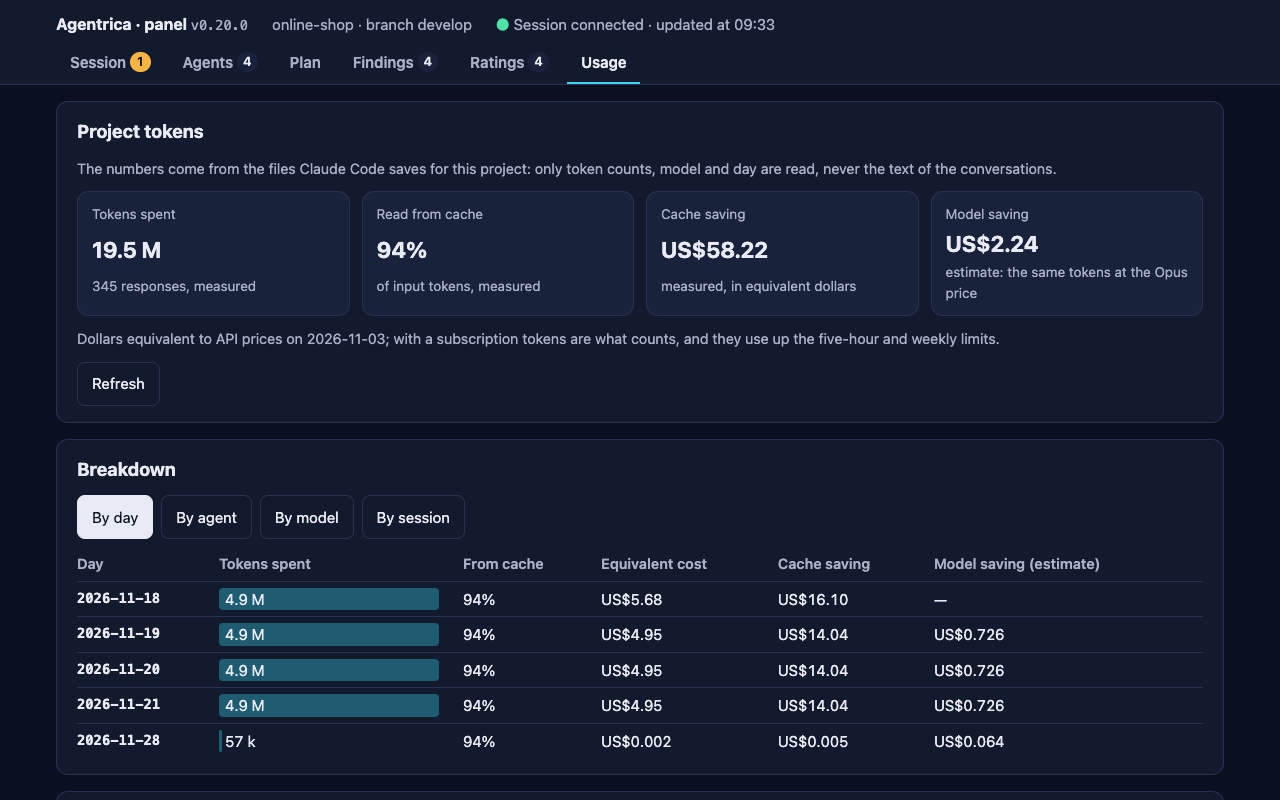
The tokens spent on the project with Claude Code: at the top the summary (tokens, share read from the cache, cache saving and, when there is one, the model saving), below the breakdown by day, agent, model or session, one table at a time. Costs are in dollars equivalent to API prices; with a subscription, tokens are what counts. At the bottom you can share the totals with AIgentrica, after the preview and a confirmation code: they end up on the site's Usage page, which shows the totals once the sends pass its threshold. With a client other than Claude Code, usage is not available.
What it reads and what it doesn't send
The panel reads the project's plan/, audit/ and git status, and from the files Claude Code saves for the project only the token counts, the model and the day, never the text of the conversations. Agents in use, reports and questions live in the server's memory and disappear when the session ends.
It sends nothing: the only exceptions are an agent's rating and the token totals, and they leave only after the preview and your confirmation. The picture for every tool is in What stays on your computer.